

FLIR QuickReport 3.03
Analyzes, views, and modifies images from infrared cameras
Program info
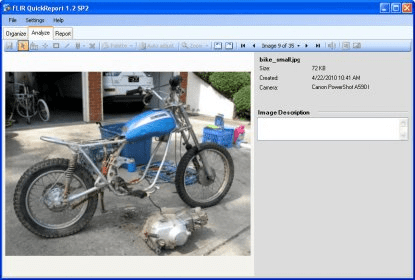
Open and view the radiometric images from multiple types of infrared cameras. Choose and change color palettes for visualization, set up alarms for changing surface condensation levels, check mould growth and insulation conditions. The browser optionally combines IR images with digital photos.
FLIR QuickReport, allows users to organize and analyze the radiometric images from its infrared cameras and present them in a report in just three easy steps.
The software allows the user to adjust the level, span, zoom and pan of the camera. FLIR QuickReport features a choice of ten different color palettes. The alarm displays risk of surface condensation, mould growth and inadequate insulation.
The built-in report templates allow the user to either include two infrared images, or an infrared image and a digital photo. Image descriptions and text and voice comments can be transferred automatically into the report.
Main features:
- Adjust level, span, and color palette
- Change Isotherm and temperature levels
- Create spot meters, lines, and areas
- Email one or more images
- Alter parameters for the Dewpoint and Insulation alarms
- Add your company logo to inspection reports
- Drag-and-drop images and preview report pages
- Digitally zoom and pan up to 8 times
- Fusion: Interval/Blending/Picture-in-Picture
- Text comments: Add/Delete/Edit
Details
Extensions

No information available
The data will be available later.


Comments